
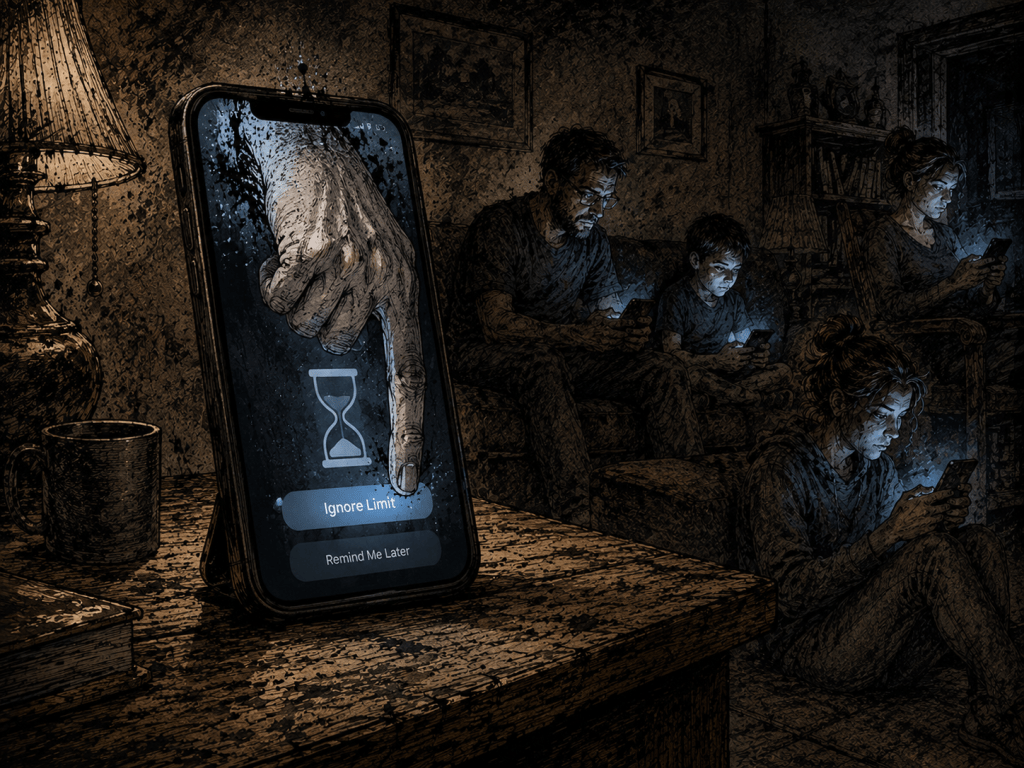
Peer pressure around getting phones for kids, tweens, and teens is intense. If your kid already struggles to fit in, not having a device makes them feel worse. The cruel irony: giving them a device can isolate them further, just in a new direction. There’s no good answer.
Schools should ban devices outright, but that’s complicated too — between gun violence and parents wanting to be able to reach their kids in an emergency, the politics of phones in schools is its own knot. The whole thing was a real struggle for us, on top of the screen-addiction risk and the running cost of these things.
What follows is everything we tried, in order. Spoiler: only one thing actually worked, and it’s the one Apple made me pay a third party for.
First Attempt: The Apple Watch
When our older son started middle school, we gave him a choice: an old-school flip phone for calls and texts, or an Apple Watch with calling and texting only. He needed something — he was struggling to fit in, his middle school is in town where kids hang out after school, pay phones no longer exist, and he was getting left out of group chats, which was isolating him further.
The voice plan felt pointless since all kids do is text, but occasionally he’d actually call us, like it was an emergency or 1995.
The watch didn’t really work. It didn’t have the social cache of a smartphone, so he’d leave it at home — usually on the days he most needed it. Then there’s the structural problem: the watch has to be paired with a physical phone. Yes, it can work without the phone after setup depending on your provider, but we couldn’t pair it to my number, because then he’d get all my calls and texts. So we had to connect his number to an old phone we had lying around. That meant paying for both the phone line and the watch’s monthly fee.
Second Attempt: An iPhone With Screen Time
Eventually he asked to switch to an iPhone “with nothing on it.” The watch had been manageable through Screen Time. The iPhone was not.
No matter what I configured, my son always seemed to find a workaround. One Saturday he spent the entire day on a phone that was supposed to be limited to 90 minutes. Every time we told him time was up, it turned into a fight, and we’d end up confiscating the device entirely. That got old fast.
At the time I thought Screen Time was just badly designed. I now think it’s badly designed on purpose — but I’ll come back to that.
Third Attempt: OurPact ($6/month)
OurPact was the first thing that actually saved my sanity. You install the app on both the parent’s device and the kid’s device — slightly annoying, but it makes sense from a security standpoint — and from there I could basically brick his phone for as long as I needed to.
Six bucks a month, which annoyed me on principle. This is exactly what Screen Time is supposed to do. Apple, just add a “lock phone” button — it’s the one feature every parent actually wants. Years later, they still haven’t, and I think I finally understand why.
Fourth Attempt: Kill the Internet at the Router
My next idea was to cut off internet access entirely, since most of the problem was YouTube and Spotify. YouTube was already blocked in Screen Time, but the kids had figured out that school proxies bypassed the restrictions. It took me a while to figure out how to block those in Screen Time, and you probably need a devious mind to think of it sooner than I did.
(Side complaint: Apple TV is another device where you can’t easily block YouTube and can’t set up user accounts. Parents with kids need to be able to block apps and content easily while still using the device themselves. Same pattern.)
I used our Eero router app to block his phone from internet access entirely — works on both WiFi and ethernet. Felt like I’d cracked it. Canceled OurPact.
This worked until he discovered the hole in the plan: his unlimited data plan. The router can’t touch cellular. Back to the drawing board.
Fifth Attempt: Switch to a Carrier Without Data
The Apple Watch was costing $10 a month and he wasn’t using it (I had switched it back to my number so I could use it when I didn’t feel like carrying my phone), so I started looking for low-cost carriers with no data plans.
Spectrum, our carrier after switching from T-Mobile, won’t sell a plan without data and won’t let you shut data off. I ended up at Tello: $5/month for 150 minutes of voice and unlimited text. Kids don’t talk to each other anyway, and he could iMessage when on WiFi.
Setting up Tello was easy, but group chats and rich texting wouldn’t work. When I called Tello, I learned you need a data plan active to enable WiFi calling and rich texting. So I added the minimum 1GB for an extra $1/month, figuring he’d burn through it fast enough that it wouldn’t matter.
Sixth Attempt: Allowlist Instead of Blocklist
The remaining loophole was the proxies. As long as he was on WiFi, he could still reach YouTube through them. Which meant I had to keep his iPhone blocked from WiFi most of the time — which broke iMessage with his friends, which left him out of group chats, which was the whole reason he had a phone to begin with.
After trying every form of blocklist — removing Safari, blocking youtube.com, blocking specific proxy sites (there are thousands, so blocklisting them all is hopeless) — I flipped the model. Block ALL websites by default, then specifically allow the ones I trust. The only site I allowed was roblox.com, so he could reach a private server we’d vetted, which I could then time-limit through Screen Time.
This is closer to working than anything else I tried. It still isn’t reliable. He still finds the gaps. Screen Time still requires me to temporarily flip things on for certain functions, and then I forget to flip them off, and he exploits the window faster than I can close it.
The Honest Verdict
After all of that — the Apple Watch, the iPhone, Screen Time, OurPact, the Eero block, Tello, the allowlist — the only thing that has ever actually worked is OurPact, the third-party app I’m paying $6 a month for.
And here’s where I land: nothing works because Apple doesn’t want it to work.
Screen Time has been on the iPhone for years. It is still bad. It is bad in exactly the ways that keep kids on the device longer. The fix is trivial — a single “lock this phone” toggle — and Apple has not shipped it, in seven years and counting. That’s not an oversight. That’s a product decision.
The iPhone is sold to parents as a tool you can manage. It is built for kids as a device that’s hard to put down. Those two things can’t both be true, and the second one is the one Apple actually optimizes for, because that’s where the money is — App Store revenue, services revenue, ecosystem stickiness. Every minute your kid is on the phone is a minute the iPhone is earning Apple money. A button that lets you turn that off cleanly would be working directly against the business.
So no, I haven’t solved this. I’ve spent years and real money trying, and what I’ve actually paid for is one $6/month workaround for a feature Apple advertises but doesn’t deliver.
Going through all of this did save me time setting up our younger son’s iPhone, though. He starts middle school this fall. I went straight to OurPact.
One Tip Worth Sharing
Back Market (which I believe Verizon owns) is a great source for affordable used iPhones in good condition. If you’re going to fight this losing battle, at least don’t pay full price for the weapons.


Leave a Reply