
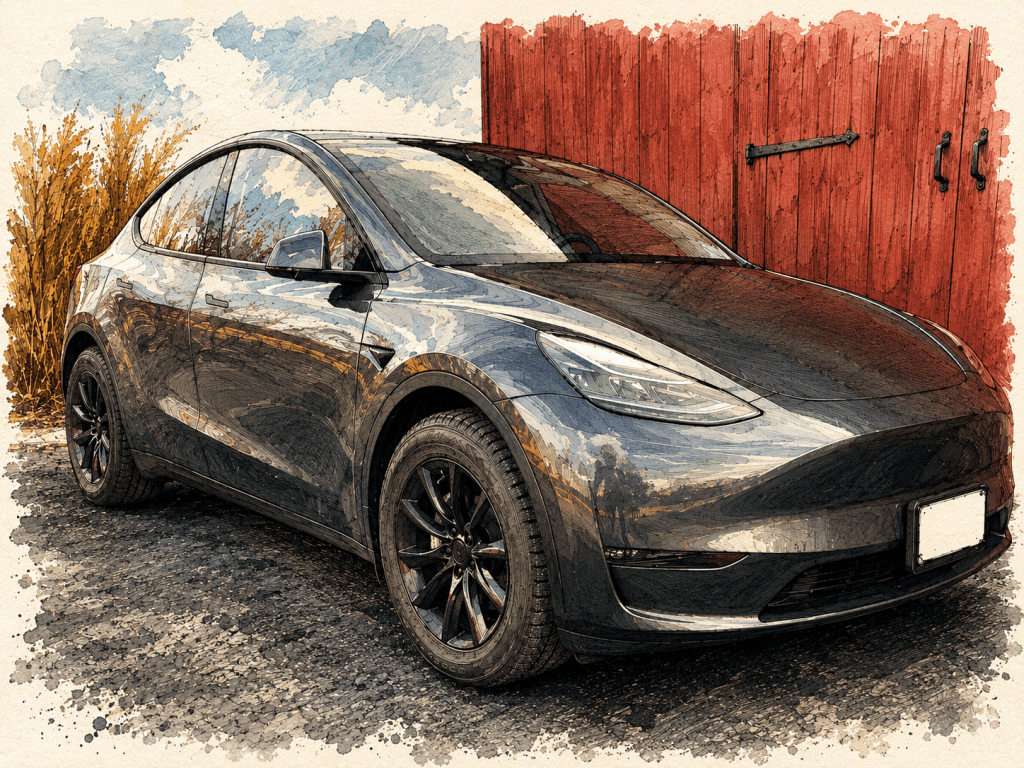
After bringing home my Model Y 7-seater, I quickly figured out what every Tesla owner figures out: this is the beginning of your spending, not the end. The car is sold on a minimalism story — fewer features, fewer parts, lower price. What that actually means in practice is a thriving aftermarket where owners spend hundreds (or thousands) of additional dollars patching the gaps Tesla left.
Here’s everything I’ve bought, what worked, and what didn’t. This is the list I wish I’d had before I owned one.
Software and Connectivity
- Tesla Premium Connectivity subscription — needed for live maps and most of the in-car apps. After paying premium prices for the car, paying again to use its maps feels like a choice.
- No CarPlay or Android Auto. Owners have been asking for this for years. Tesla has not budged.
- CarPlay workarounds — third-party dongles like Carplay2air exist, but they’re cumbersome, need extra hardware, and the performance is often laggy or flaky.
- The native Tesla app selection is thin compared to anything you’d get through CarPlay or Android Auto.
Exterior — Wheels, Protection, Cosmetics
- Evannex 18-inch turbine wheels — possibly my favorite upgrade. Better look than the OEM 20s, and the extra sidewall means I’m not having a panic attack every time I see a pothole.
- Wheelership black lug nuts — the OEM lug nuts are meant to be hidden under caps, so they look terrible exposed.
- Center cap stickers — the Evannex turbines came with chrome caps and an EV logo. I pulled the caps, painted them flat black, and applied the stickers.
- Nokian WR G4 SUV All Weather 255/55R18 109V XL tires (Simple Tire) — I wanted extra sidewall for New York potholes.
- Tesbros PPF for front bumper and headlights — self-installed. Steep learning curve. Worth it.
- Tesbros PPF installation kit.
- Tesbros mud flaps.
- Air intake protective cover.
- Front hood weather strip.
- Tesbros jack pads — essential. You don’t want to lift this car wrong, because right below the lift point is the battery.
- Teslaunch rear spoiler.
- Teslaunch no-drill, no-adhesive front license plate holder — I had to remove the OEM plate holder to do the PPF, and the OEM is glued on. The aftermarket clip-on is much better.
- SAR side moldings — got a door ding the first week I owned the car. These should have been on it the day I picked it up.
- Blackout logos — three matte black T stickers covering the silver Ts on the hood, trunk, and steering wheel, plus a matte black “Dual Motor” badge.
Interior — Mats, Organizers, Living With the Car
- Glass roof shade — after reading enough horror stories about how hot this car gets in summer through the glass roof.
- TuxMats — which I managed to install inside-out the first time. Rookie move. I ended up pulling the front mats — they weren’t worth it for me. A thin under-layer version that could go below other all-weather mats would be perfect, and doesn’t exist.
- Tesmanian all-weather mats — layered on top because I didn’t love the TuxMat surface.
- Rear seat cover — returned. The seats are pleather, so you don’t need one.
- Backseat air-vent cover.
- Front footwell side panels (right and left).
- LASFIT premium seat-back covers.
- 3D MAXpider cargo liner.
- Pedigree frunk and trunk liners.
- Center console side anti-kick mats.
- Tesbros center console organizer.
- Tesbros armrest organizer.
- Tesbros cup holder insert — the OEM cup holders are sized for European cups, so American drink cups rattle around in them.
- Tesmanian side door storage organizer tray — to protect the door pockets from kids and spillage.
- Tesbros matte screen protector.
- 3D MAXpider rear seat sill protectors / side step — seemed to be the only option for the 7-seater.
- Under-seat / front rear seat slide rails protector (AliExpress).
Tech and Lighting Fixes
- Brighter interior lights — the stock lighting is surprisingly dim.
- Dedicated Sentry Mode drive — and Tesla specifies it has to be USB 2.0 backwards-compatible. Not exactly what you’d expect from a company that calls itself a tech company.
- Tesmanian brighter trunk light — the stock one is practically useless. Seems like they sacrifice everything for range, and then lie about the range anyway.
- Trunk side organizers — for better storage.
- Phone mount — since there’s no CarPlay, you need a real mount to use any navigation app that isn’t Tesla’s.
Sound Proofing — Mostly Didn’t Work
The Model Y is louder inside than I expected, and there’s a small cottage industry of YouTube videos promising to fix it. I worked through several. None of them really delivered:
- Front wheel-well sound proofing — didn’t fit. No idea if it would have helped.
- Door and trunk weather stripping — didn’t really do what I hoped.
- YouTube tubing fix in the rear weather strip — also no real difference. Source video: YouTube.
What I’d Tell You Before You Start
Budget at least $1,000–$1,500 in accessories beyond the price of the car. Some are essential (PPF, jack pads, Sentry Mode drive, mats), some are quality-of-life (organizers, lights, roof shade), and some are cosmetic. If you’re picking an order: protection first, then comfort, then looks.
Do the PPF early. Don’t wait until you have rock chips. Just know that cold weather and PPF installation do not get along — you’ll want a warm garage and a free Saturday.
Be skeptical of YouTube “fixes” for road noise. There’s an industry built on parents-of-teenagers-style hope, and not much of it actually works.
And factor in subscription costs. Between Tesla Premium Connectivity and any third-party software you end up needing (CarPlay dongle service, dashcam viewer apps, whatever), the recurring cost of operating this car is higher than the sticker suggests.


Leave a Reply